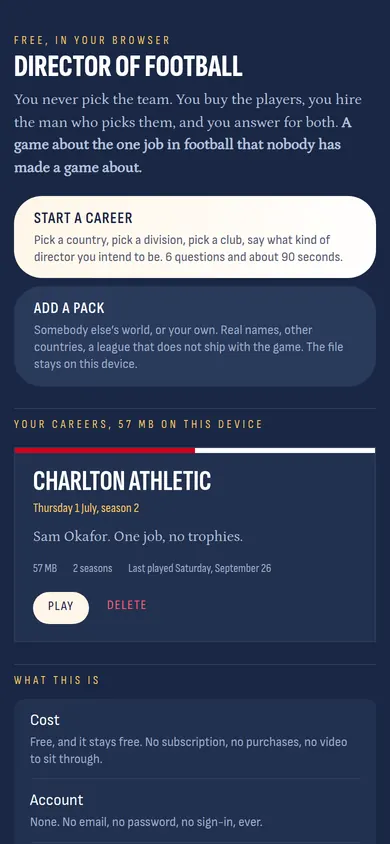
You never pick the team.
You buy the players, you hire the man who picks them, and you answer for both. Your whole first season, one page of the game at a time, with a picture of each. Swipe left to begin.
Where to begin
Every page here is one page of the game and one thing to do on it. Swipe left to go on and right to come back, or use Back and On at the foot. Tap a part to jump to it.
The front door
This is the first page. It says what the game is in 3 lines, and it has 2 big buttons. Press Start a career.
Under the buttons is a list of your careers. It is empty now. Every career you start will be a card here, and you can have as many as you like.
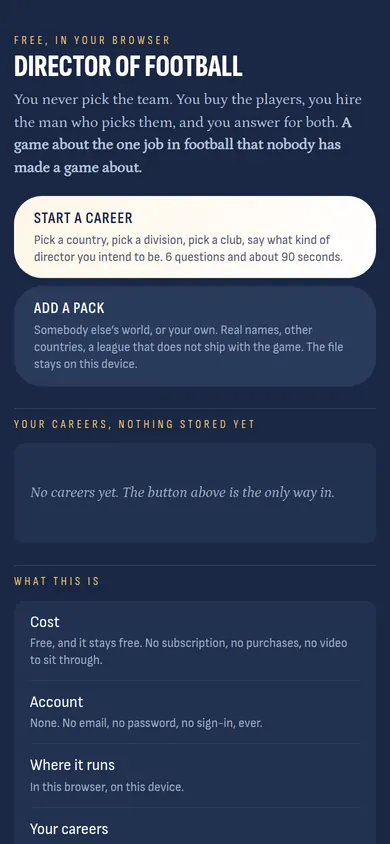
How do you want to start
A sheet slides up from the bottom. Most questions in the game come on a sheet like this, and you answer by tapping one line.
A career means you start at a small club and earn your way up. Walk on means you pick any club in the world, even the biggest. Pick A career the first time. It is the way the game is meant to be played.
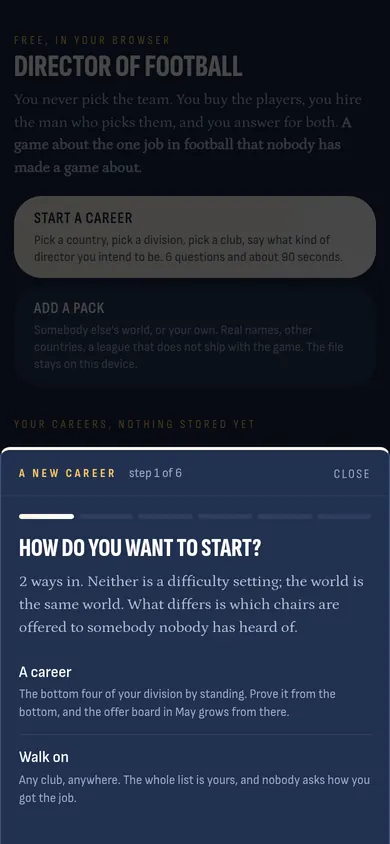
Which country
5 countries, 2 divisions each. It does not matter much which one you pick. The seasons all run the same way; what changes is how much money there is and how many people are watching.
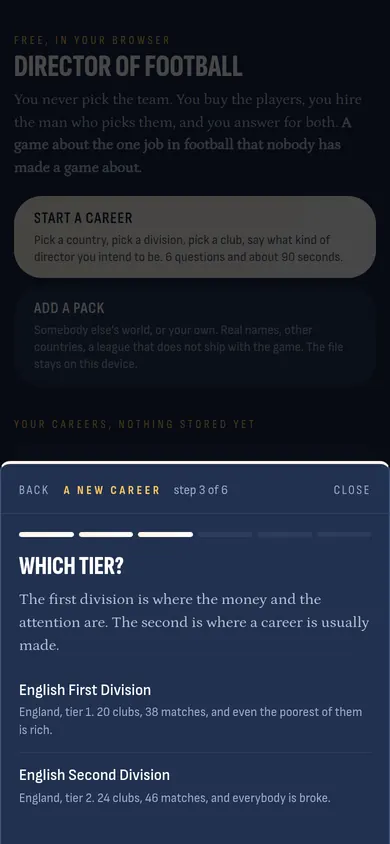
Which tier
The first division is where the money is. Tier 2 is where a career usually starts. Pick the Second Division for now.
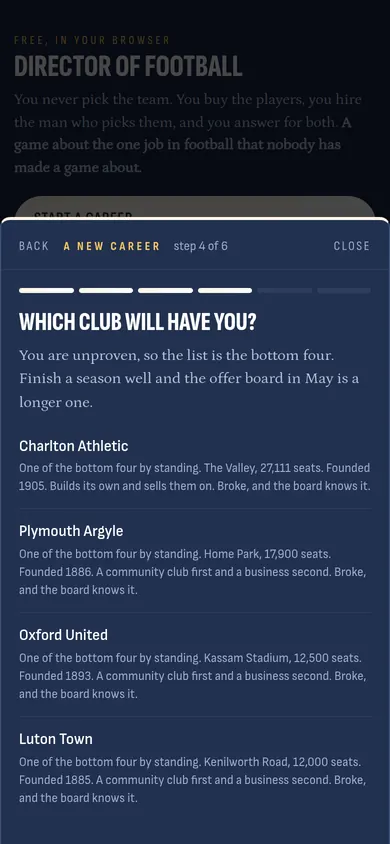
Which club
A career offers you the 4 clubs at the bottom of the table. Each card tells you the ground, how many seats, and one honest line about the club. They are all broke. That is the point: do well here and bigger clubs will come for you in May.
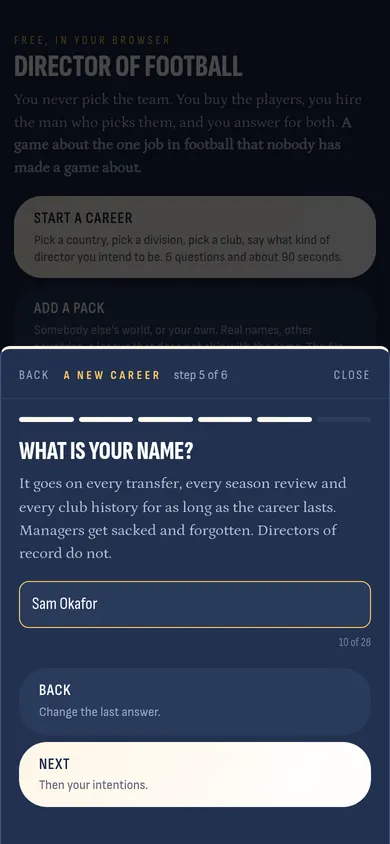
Your name
Type your name. It goes on every transfer, every season review and every club history for as long as you play. Then press Next.
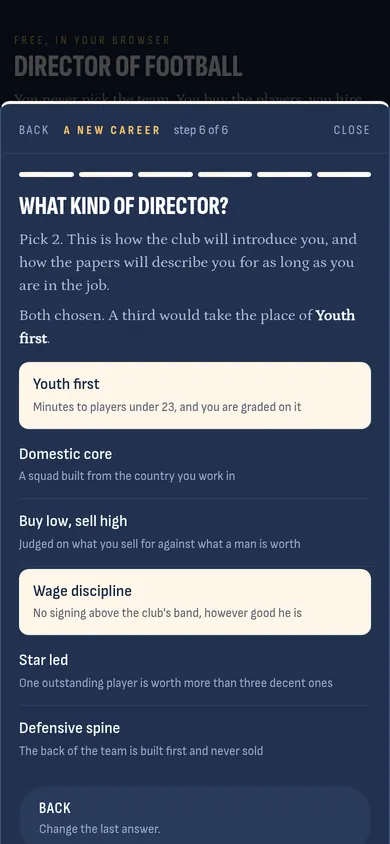
What kind of director
Pick 2. This is how the club will introduce you and how the papers will describe you. Youth first means you are graded on giving minutes to players under 23. Wage discipline means you never sign a man above the club's pay band.
These are promises. The game remembers them. Keep them and the club trusts you more; break them and it shows.
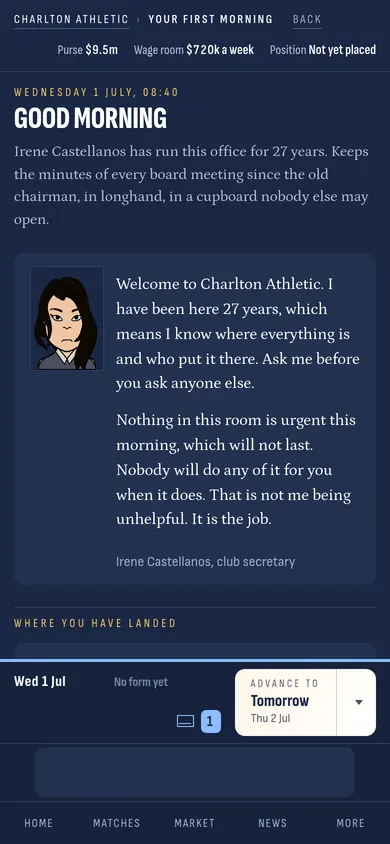
Good morning
It is 1 July. The club secretary meets you at the door. She has been here longer than anybody and she tells you the truth: nothing is urgent this morning. Read what she says, then press Get to work.
Your overview
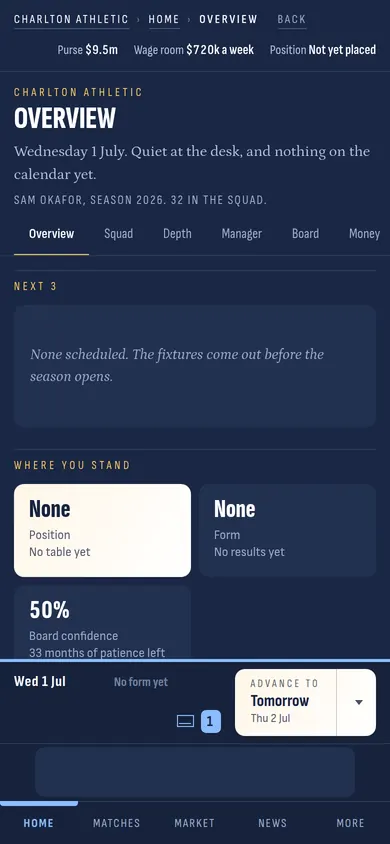
This is home. You will come back here more than anywhere.
The strip at the top never leaves you. Purse is the money you can spend on players this season. Wage room is how much more you can pay in wages each week. Position is where you are in the table.
The row of words under the club name (Overview, Squad, Depth, Manager, Board, Money) are the pages of your club. Tap one to go there.
The bar at the bottom is the band. It shows today's date, your last 5 results, the envelope for your messages, and the big button that moves time: Advance. Nothing in the game happens until you press it.
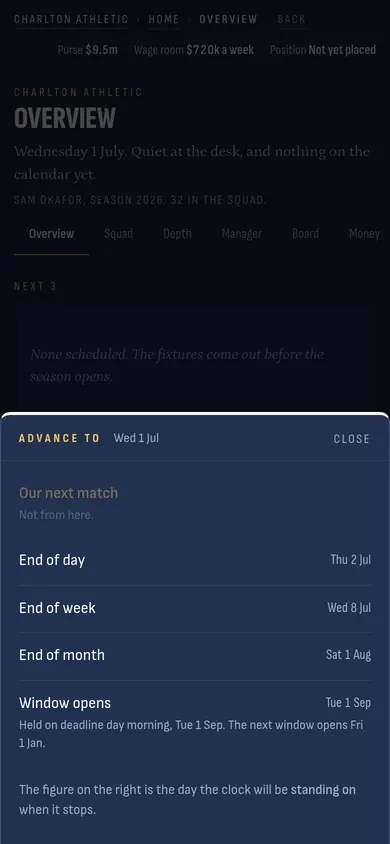
How far to go
Tap the little arrow beside Advance and you choose how far the clock runs: to tomorrow, to the end of the week, to the end of the month, to the next match, or to the day the transfer window opens or shuts.
The clock stops on its own if something needs you. So do not be scared of pressing a big jump. If a club bids for one of your players, the game will stop and ask you.
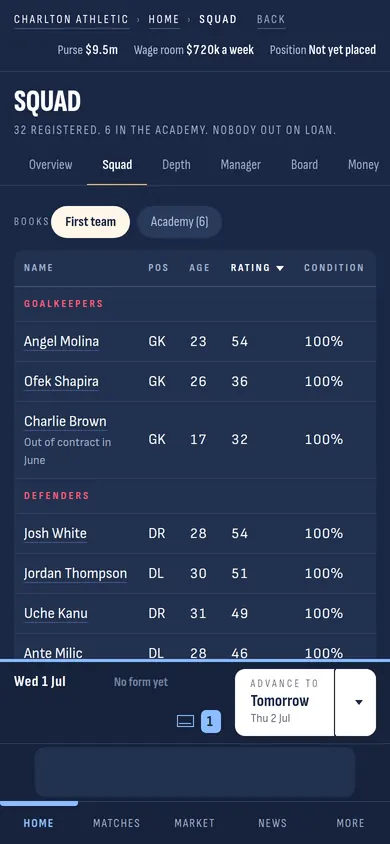
Squad
Every player you have, in a table. Pos is where he plays. Rating is how good he is right now, out of 100. Condition is how fresh he is. Tap a name to open his page.
The Academy chip at the top shows the boys, the ones who are not in the first team yet.
A player's page
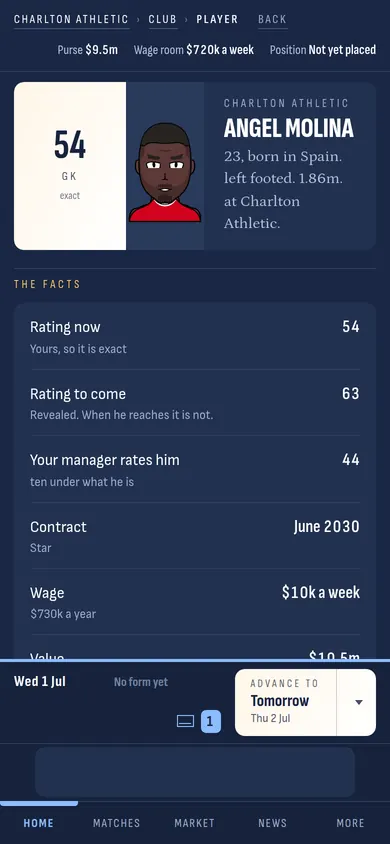
Everything about one man. The big number is his rating now. Rating to come is how good he could get. Your manager rates him tells you whether the man who picks the team agrees with the number. Then his contract, his wage, and the buttons for what you can do with him: list him for sale, offer him a new deal, loan him out.
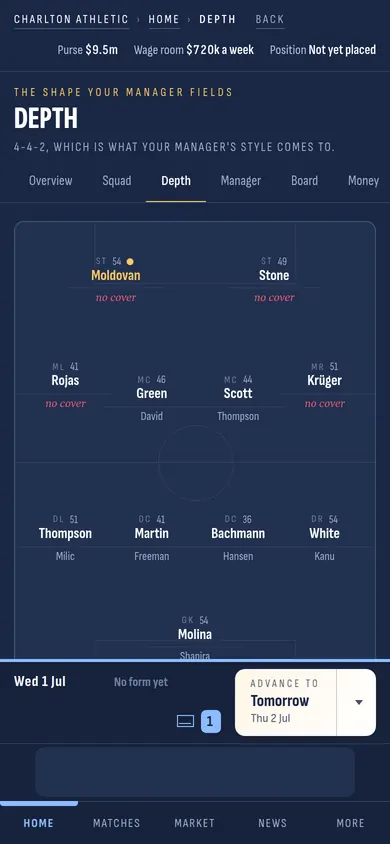
Depth
Your squad drawn on a pitch, in the shape your manager likes to play. Where it says no cover, you have only 1 man for that spot. If he is injured, somebody plays out of position. This page tells you what to buy.
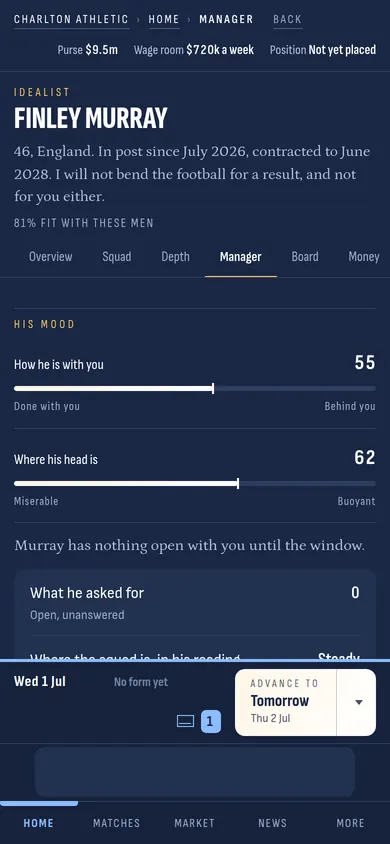
The manager
You do not pick the team. He does. This page is him: how he likes to play, how well your players fit his way, what he is paid, and what it would cost to sack him today.
The first thing on the page is his mood. 2 bars: how he feels about you, and where his own head is. Every transfer window he asks you for something. Give it to him and both bars go up. Ignore him and they go down.
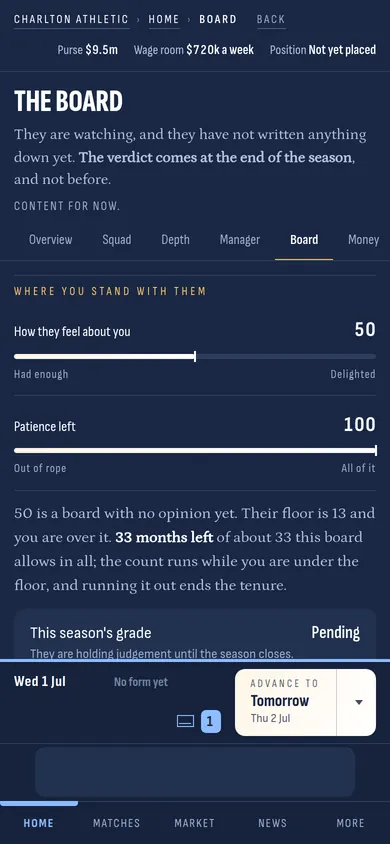
The board
The people who hired you. Their confidence starts at 50 out of 100. In September they write down what they expect from the season. On 30 June they grade you on 4 things: the football, the money, the crowd, and whether the squad is getting better or worse.
There is a line called the floor. Fall under it and a clock starts. Run the clock out and you are sacked. The page shows you the floor and how much patience is left, every day of the season.
Money
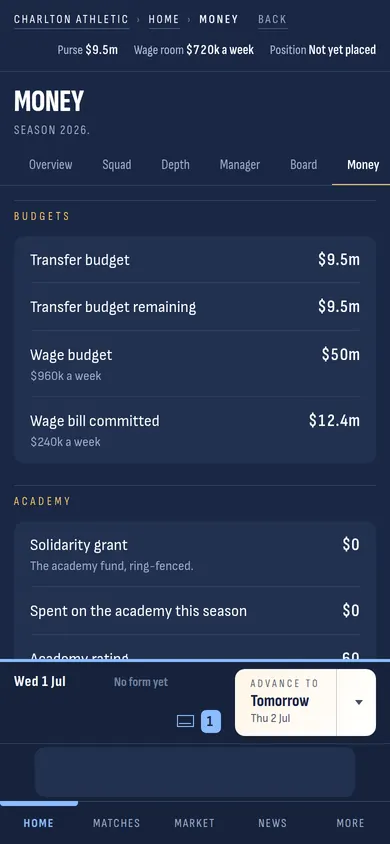
Your budgets in plain figures. The transfer budget is the purse. The wage budget is the most you may pay all your players together in a season. Spend the purse across both windows; nobody tops it up in January.
The desk
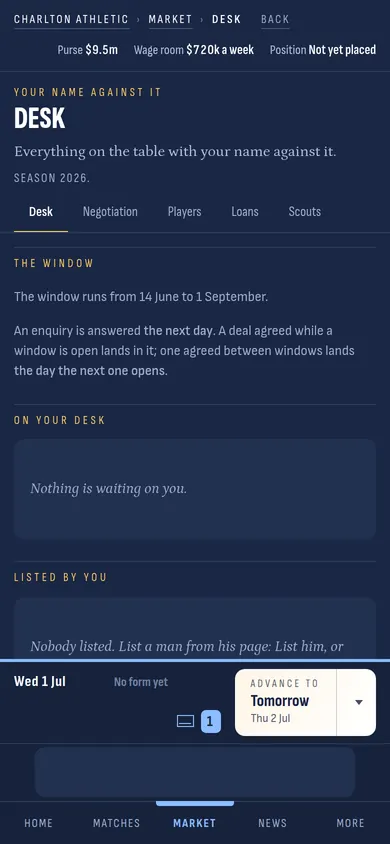
Everything with your name on it. Deals you are running, players you have listed for sale, and what other clubs are asking you. It is empty on day 1. It will not stay that way.
Players
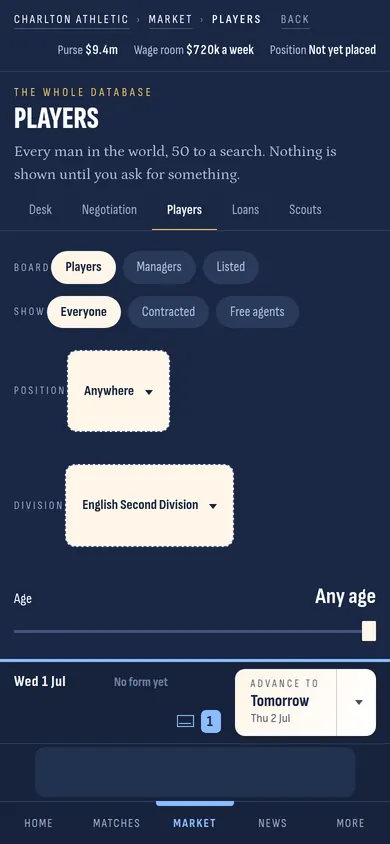
Every player in the world is in here, 50 at a time. The page shows nothing until you ask for something: pick a position, pick a division, drag the age slider. Then the list appears.
Try it. Set Division to your own and the list fills with every man in it.
A man who is not yours
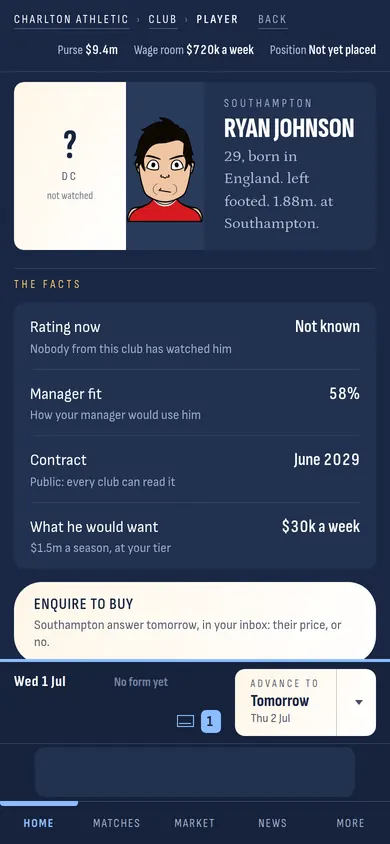
Tap a name and you get his page, the same as your own players, except that you only see what your club knows about him. Rating now: Not known means nobody from your club has watched him. Scouting tells you more; so does buying him.
The button that matters is Enquire to buy. Press it. His club answer tomorrow.
Their price
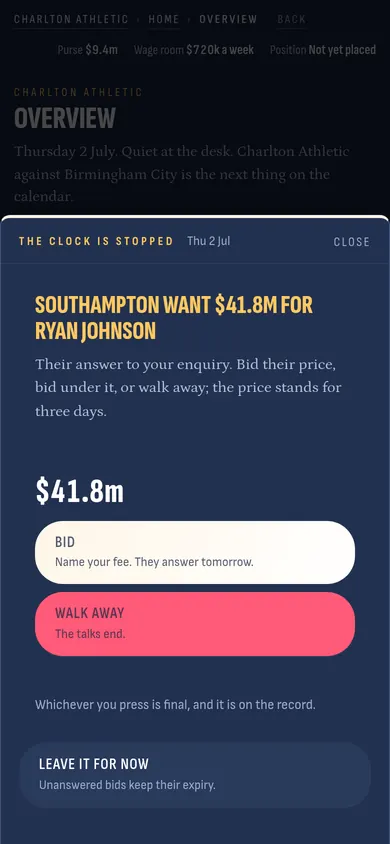
You press Advance, and the clock stops the next morning with their answer. They want more than you have. Almost every price is more than you have at a small club. You can Bid under it, or Walk away. Whichever you press is on the record.
Your bid
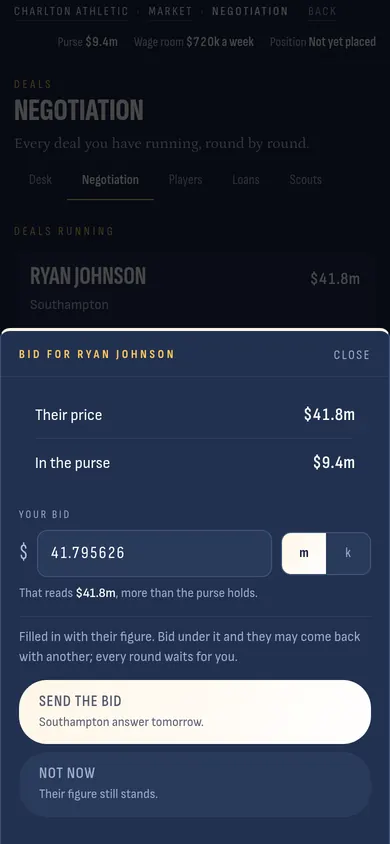
The sheet tells you their price and what is in your purse. Type your own figure. Bid under their price and they may come back with a lower one, or they may walk away. Every round waits for you; nothing is decided while you are not looking.
Negotiation
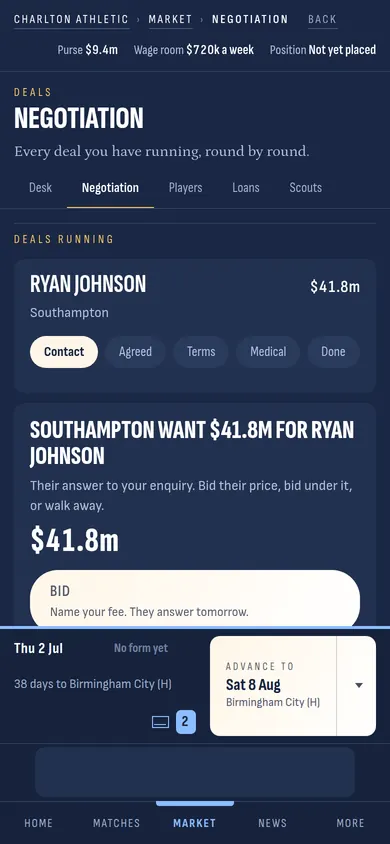
Every deal you are running, one card each, with the steps along the top: contact, agreed, terms, medical, done. A deal moves 1 step a day at most. When it reaches Done he is yours, and the money is gone from the purse.
Scouts
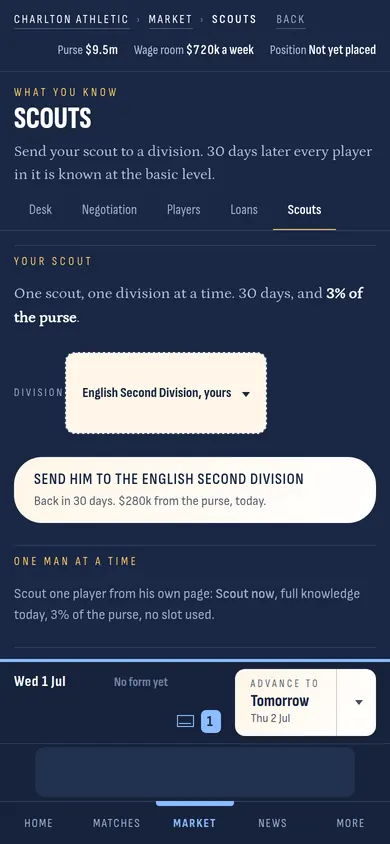
You have 1 scout. Send him to a division and 30 days later you know every player in it. Or pay 3 out of every 100 in your purse to know 1 man today. Knowing a player before you bid is how you avoid paying for a name.
Loans
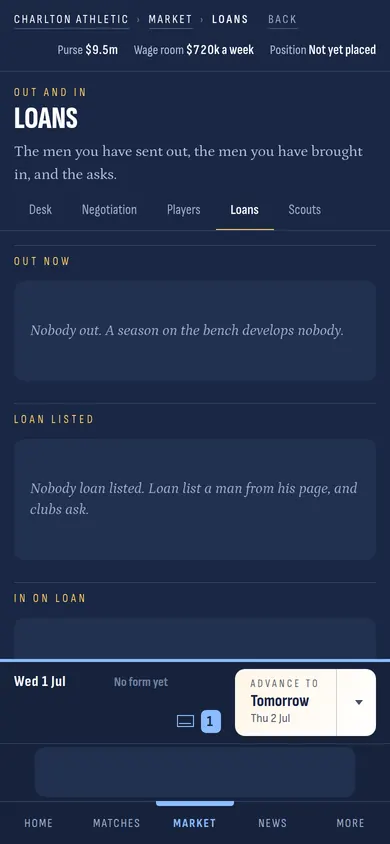
Borrow a man until 30 June, wages shared, no fee. Or lend one of yours to a club that will play him. A young player who sits on your bench gets no better. One who plays 30 matches somewhere else comes back a different man.
Tomorrow, and the box
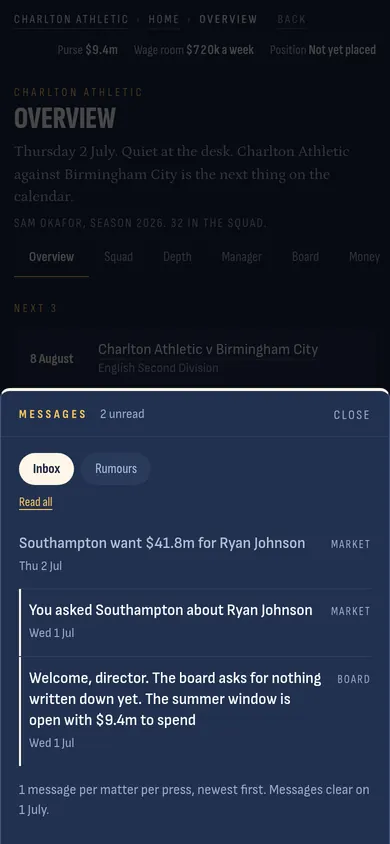
Press Advance to tomorrow. The date in the band moves 1 day, and a small number appears on the envelope. Tap the envelope and the box opens: every message about your club, newest first. Injuries, contracts, the board, the manager, the academy. Nothing in here stops the clock; it waits for you.
A message
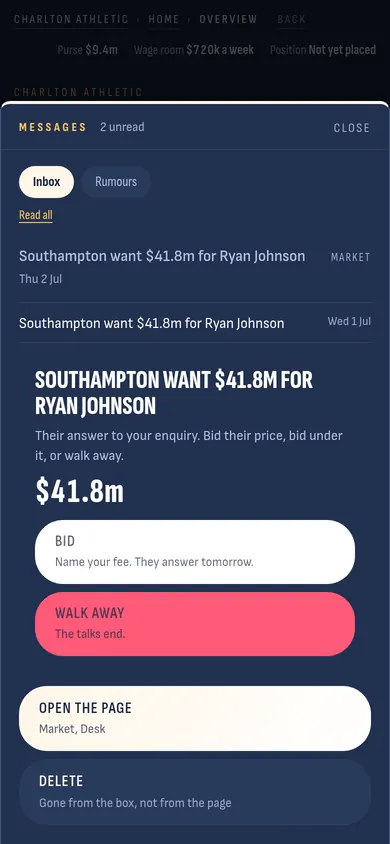
Tap a message to open it. Open the page takes you to the page it is about. Delete takes it out of the box. Messages clear on their own every 1 July.
The cards
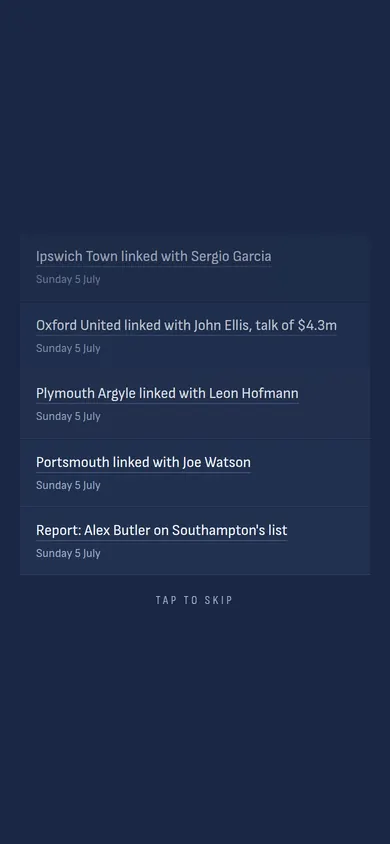
Press End of month. The clock runs the whole month in a few seconds, and what happened comes down the screen as cards: results, rumours, who signed where. Tap anywhere to skip them. Every card is also in News, so you lose nothing by skipping.
When somebody wants one of yours
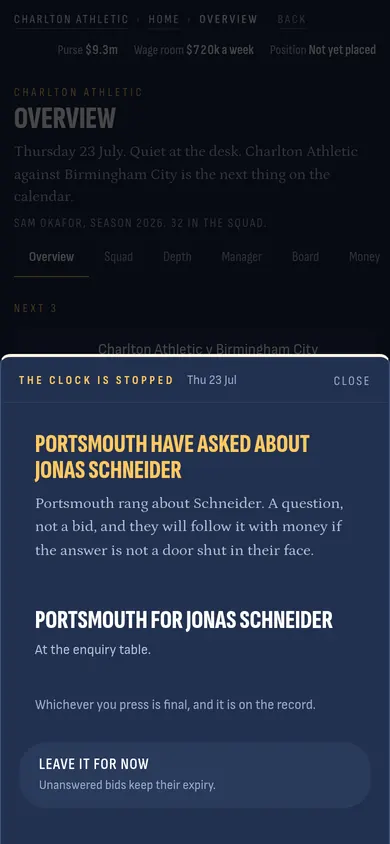
This is when the clock stops on its own. Another club rang about your player. It is only a question, and you can leave it for now; if they are serious, money follows.
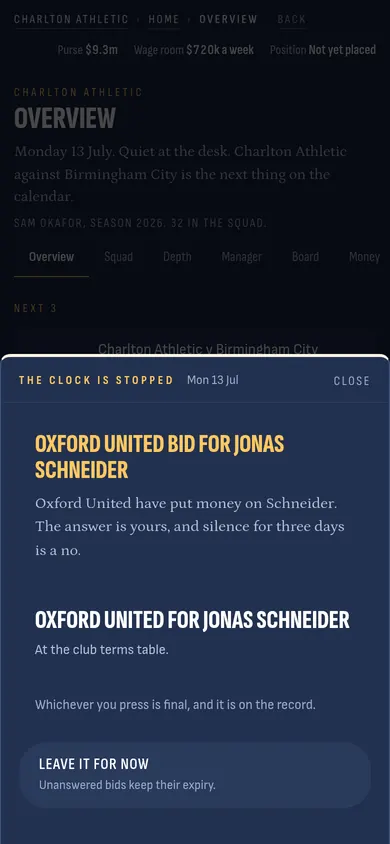
A bid on the table
Now there is a figure. Under it, your assistant tells you what he thinks the man is worth. You can accept, refuse, or type your own figure and counter. Say nothing for 3 days and it counts as a no.
The 2 boxes underneath, sell-on and buy-back, are extras you can ask for: a share of the fee if they sell him on later, or the right to buy him back at a set price.
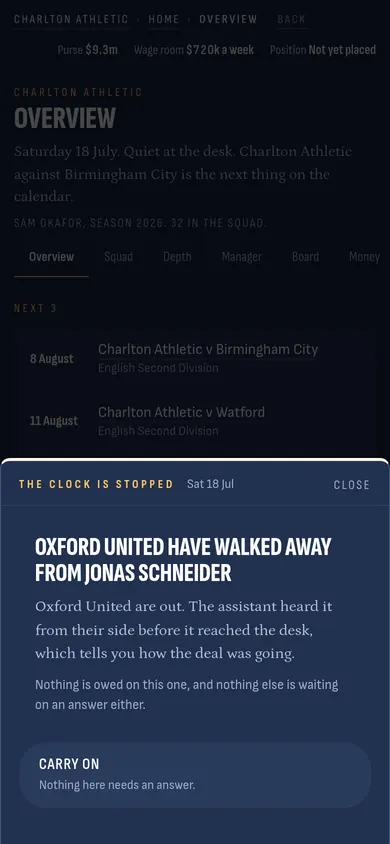
They walked away
Sometimes they leave. The sheet says so, and nothing is owed. Press Carry on. Your player is still yours.
Deadline day
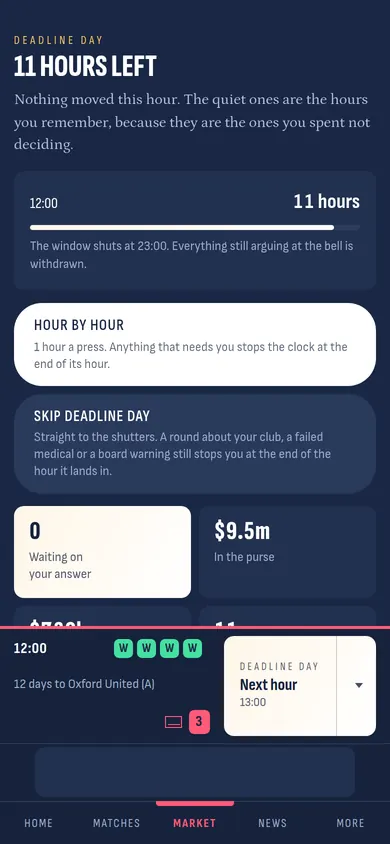
1 September is the last day of the summer window, and it is different from every other day. The clock runs 1 hour at a time. The page shows how many hours are left, what is in the purse, and who is waiting on your answer.
Hour by hour plays it slowly. Skip deadline day runs straight to the end, but still stops if somebody bids for your player or a medical fails.
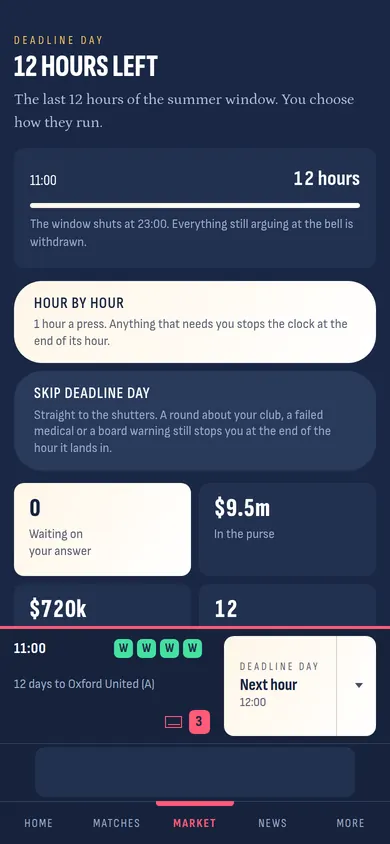
An hour on deadline day
Every press is 1 hour. Most hours nothing happens. The ones you remember are the ones you spent not deciding.
The window shuts
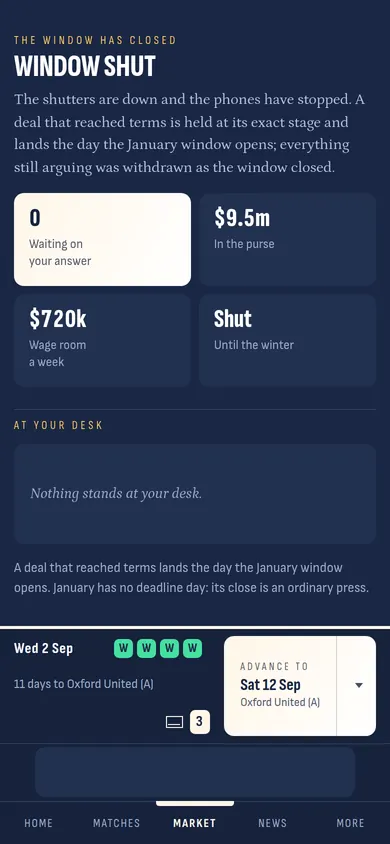
At 23:00 the shutters come down. Any deal that had agreed terms is kept and lands the day the January window opens. Anything still being argued over is gone. From here to January you cannot buy or sell, only play.
Results
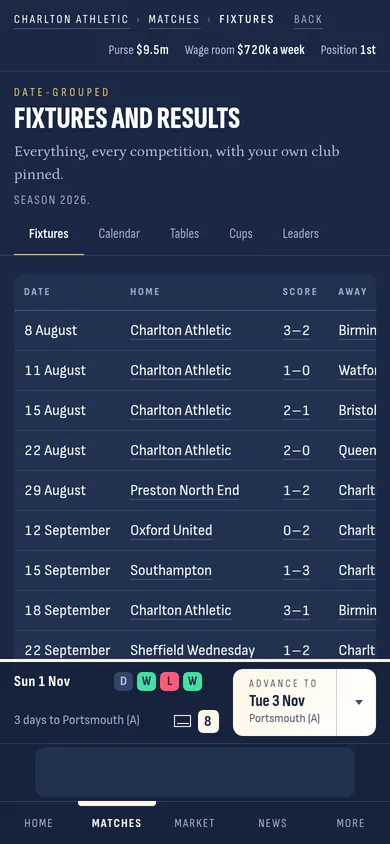
Every match you have played and every one still to come, by date. Tap a score to open the match: who scored, when, and how every player was rated.
Tables
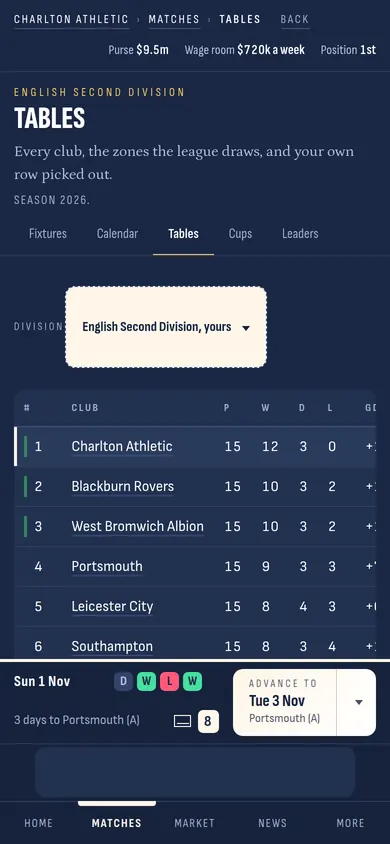
The league table. Your row is picked out. The coloured marks down the side are the zones: promotion at the top, relegation at the bottom. Change the division at the top to see any other league in the world.
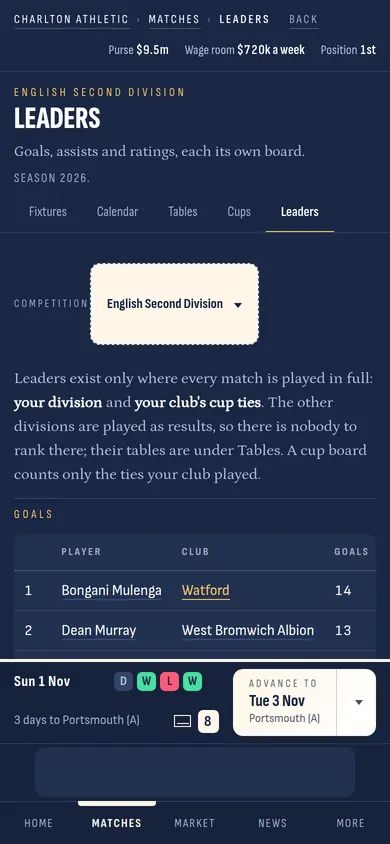
Leaders
Goals, assists and ratings for your division. This is where you find the striker at another club who is scoring every week, and where the board look to see whether yours is.
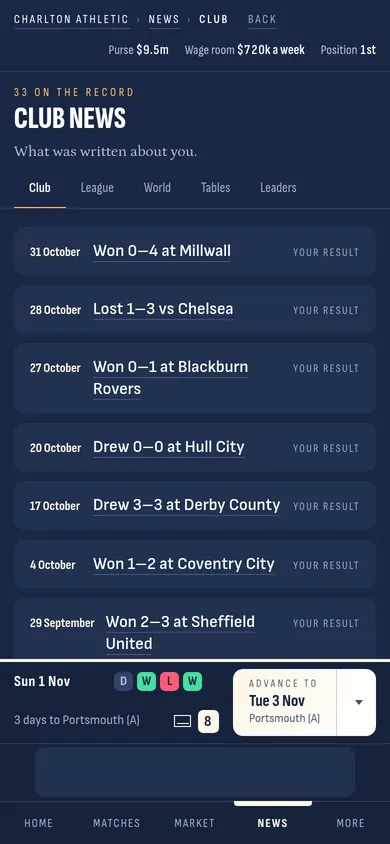
News
What was written about your club: every result, every rumour, every signing. The League and World chips show the same for everybody else.
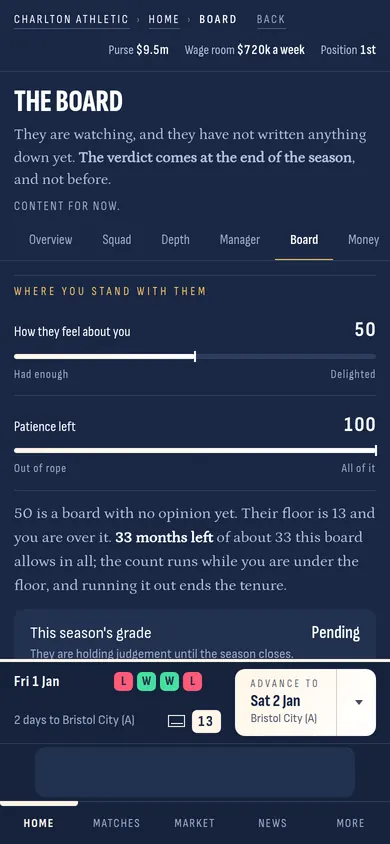
The board, in November
Come back to the Board page once the season is running. The confidence bar has moved. Under the bars, the sheet tells you exactly where you stand: the floor, how many months of patience are left, and what this season's grade looks like so far.
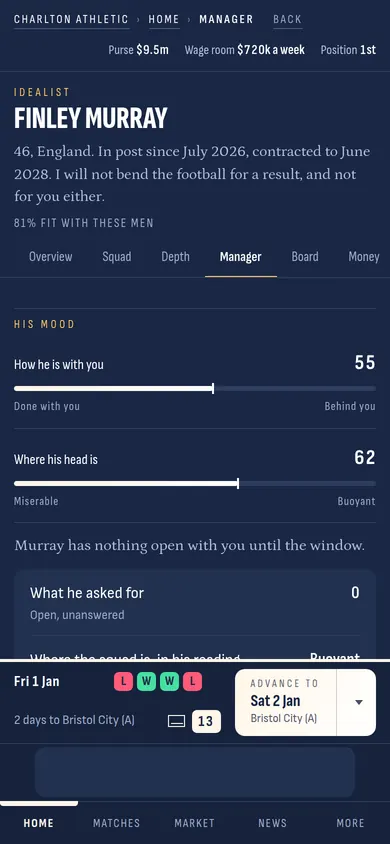
The manager, in November
His mood has moved too. If he asked for a player in the summer and you did not get him one, the first bar is lower. He has not forgotten.
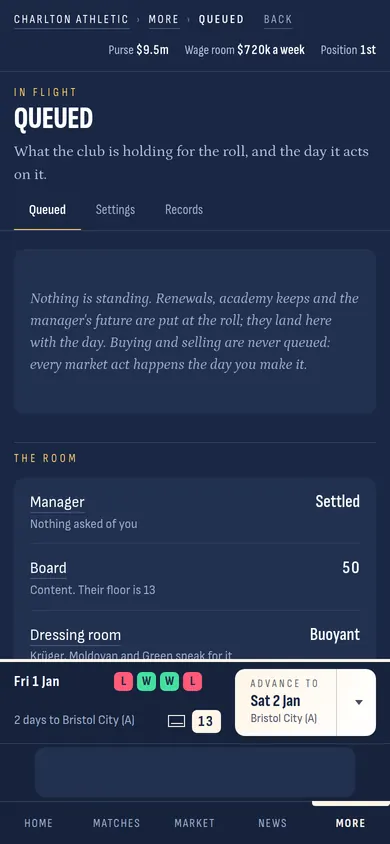
Queued
Under More. Some things you decide during the season only happen on 1 July: new contracts for the boys, the academy budget, whether the manager stays. This page lists what is waiting for the roll.
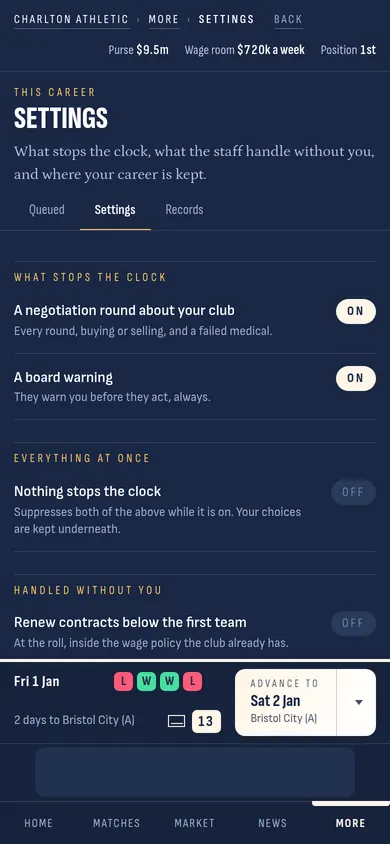
Settings
What stops the clock and what your staff handle without you. If you would rather never be interrupted, turn on Nothing stops the clock; your choices are kept, and the assistant answers in your place.
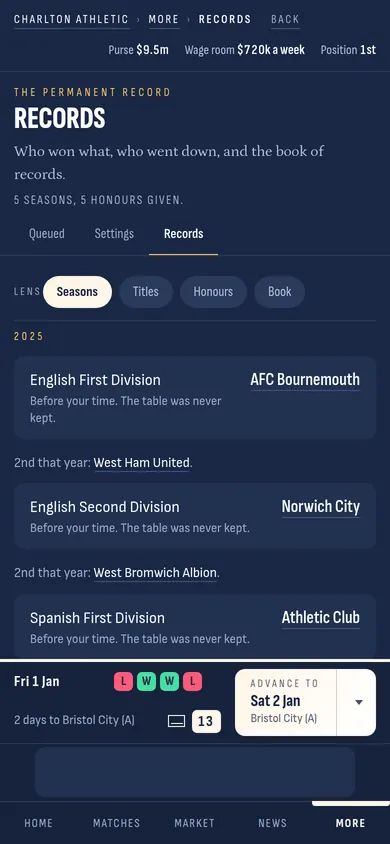
Records
Who won what, who went down, and the book of records. Every season you play adds a line. The world had 5 seasons of history before you arrived, so the book is never empty.
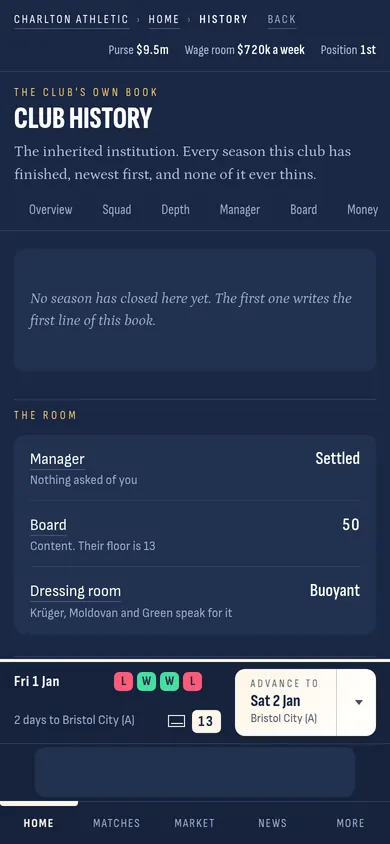
Club history
Your club's own book: every season it has finished, the money, the honours. When you take a new job you inherit that club's book, all of it.
The academy intake
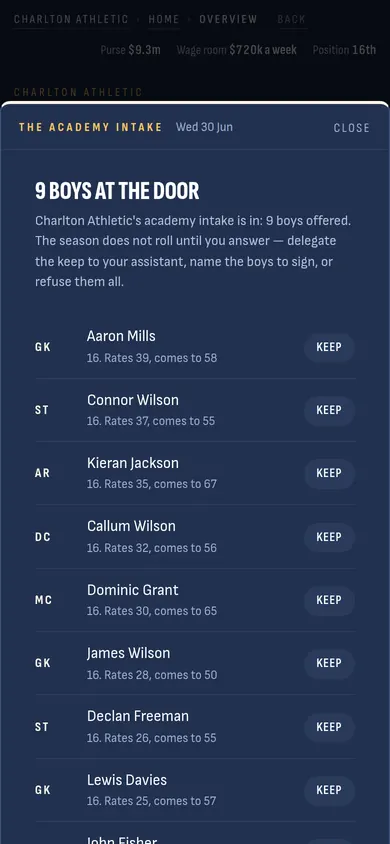
On 30 June the boys arrive, and this is the one thing the clock will not move past until you answer. Each boy has a rating now and a rating to come. Tap Keep beside the ones you want.
Your answer
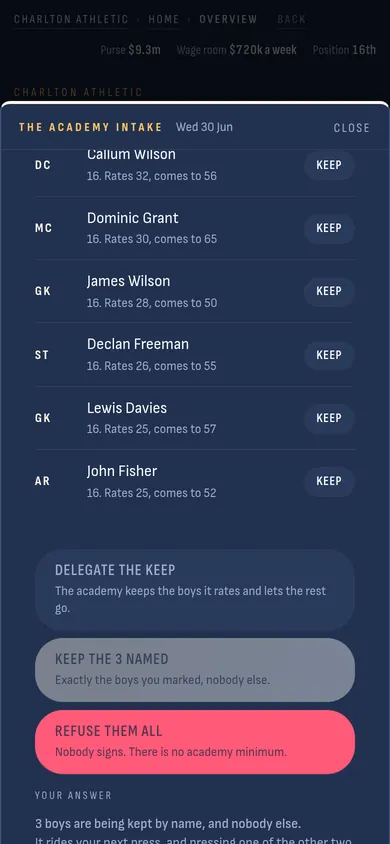
3 buttons at the foot. Delegate lets the academy choose. Keep the named signs exactly the boys you marked. Refuse them all signs nobody. Your answer rides the next press.
The curtain
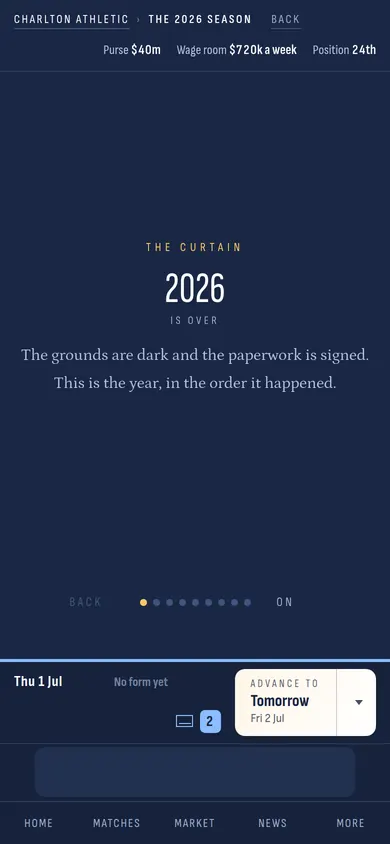
Press once more and the season is over. The year comes back to you as cards, in the order it happened: the table, the awards, the money, what the board wrote about you, what the manager said. Swipe through them, the way you swipe through this page. Then it is 1 July again, the box has 3 new messages, and the purse has been set for the new season.
If the board have finished with you, the roll takes you to the offer board instead: 2 or 3 clubs who want you, with their board, their money and their manager on a card each. Pick one and the story carries on there.
Your grades
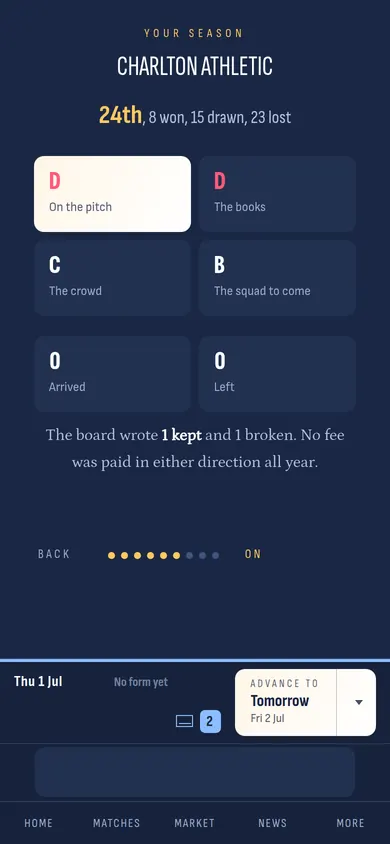
One of the cards is yours. Where you finished, and 4 letters: the pitch, the books, the crowd, the squad to come. Under them, what the board wrote about the promises you made in September. These letters are what their confidence moves on. A season like this one, 24th and 2 letters D, is a season that costs you patience.
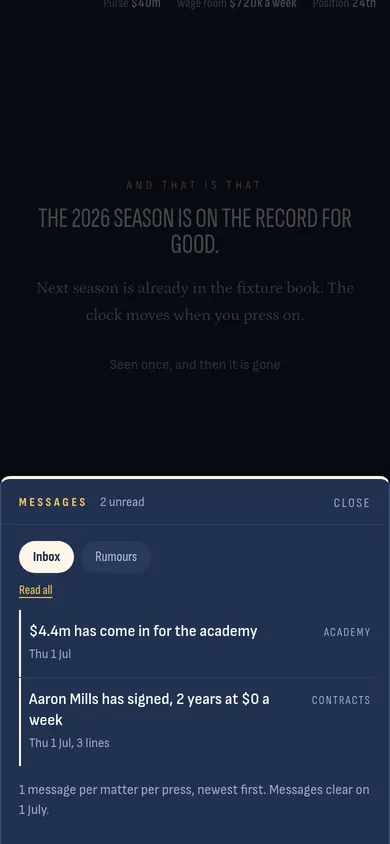
1 July again
The clock stands on 1 July of the new season. The box has the morning's news: the academy money for the year, the boys you kept and their contracts, the manager's word on the season gone. The purse in the strip is the new one. Press Advance, and it starts again.
Coming back
Close the tab whenever you like. Nothing is lost; every press is kept as it happens. Next time you open dof-sim.com your career is a card on the front door, with the club, the date and how many seasons you have played. Press Play and you are back at your desk.